
To improve your live clips, start by cleaning the audio to remove background noise and distractions using noise reduction tools. Next, apply EQ to shape the sound by cutting or boosting specific frequencies for clarity and warmth. Finally, master the overall mix with levels and compression to guarantee a polished, balanced sound across devices. Mastering elevates your audio quality, and if you’re enthusiastic to learn more, you’ll discover key techniques to enhance your results.
Key Takeaways
- Begin by removing background noise and unwanted sounds to create a clean audio foundation.
- Use EQ to reduce rumble and hiss, emphasizing midrange clarity for dialogue and instruments.
- Apply gentle compression during mastering to control dynamics and ensure consistent volume levels.
- Fine-tune overall sound with subtle effects, balancing tonal qualities for professional quality.
- Always monitor on multiple devices to ensure clarity, naturalness, and a polished listening experience.
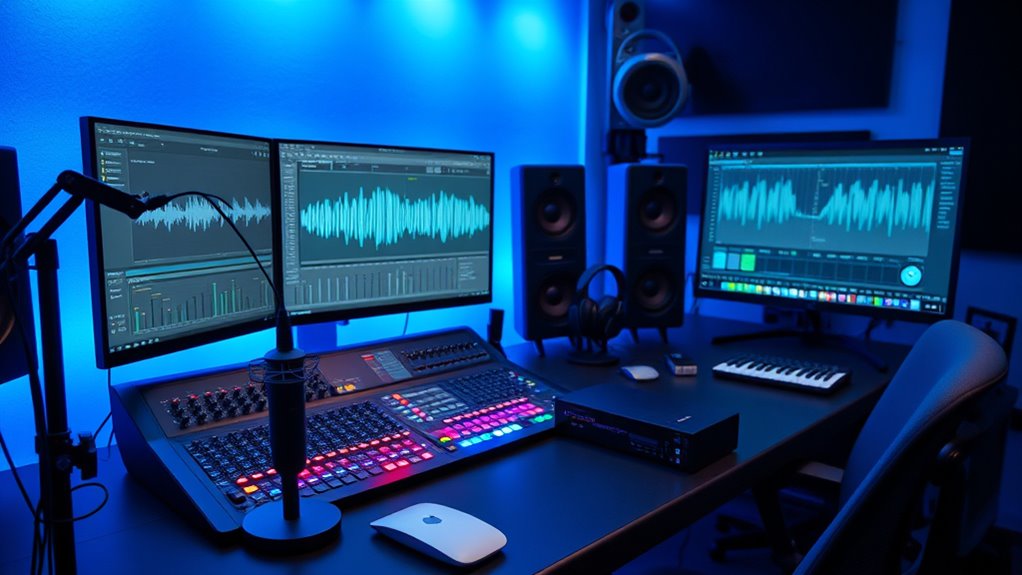
When working with live clips, the quality of your audio can make or break the viewer’s experience. No matter how stunning the visuals are, poor sound quality can distract, confuse, or even turn viewers away. That’s why paying close attention during the audio post-production process is essential. Your goal is to enhance clarity, remove unwanted noise, and ensure the audio complements the visuals seamlessly. To achieve this, you’ll employ a variety of editing techniques designed specifically for live recordings.
Great audio quality enhances live clips by ensuring clarity and audience engagement.
First, start with cleaning the audio. Live clips often contain background noise, hums, or echoes that can muddy the sound. Using noise reduction tools, you can eliminate or reduce these distractions without sacrificing the natural ambiance. It’s vital to be subtle here; overdoing noise reduction can introduce artifacts or make the audio sound unnatural. A clean, noise-free track provides a solid foundation for further processing. Once the clutter is removed, you can focus on equalization (EQ). EQ allows you to shape the sound by boosting or cutting specific frequency ranges. For live clips, this often means reducing low-end rumble or high-frequency hiss, while emphasizing clarity and warmth in the midrange. Proper EQ balances the audio, making dialogue intelligible and music or effects more vibrant. Additionally, understanding the importance of sound quality can help guide your editing choices to achieve a more professional result.
After cleaning and EQ, the next step is mastering. This is where you fine-tune the overall sound to ensure it’s polished and consistent across different playback systems. Mastering involves adjusting levels, applying compression to control dynamics, and sometimes adding subtle effects to enhance the audio’s presence. During this stage, you want your audio to sound professional, engaging, and cohesive. It’s also vital to listen on multiple devices — earbuds, speakers, and different environments — to catch any inconsistencies or issues. The right editing techniques can bring out the full potential of your live clips, transforming raw recordings into immersive audio experiences.
Throughout this process, your focus should always be on maintaining the integrity of the original recording while refining it for clarity and impact. Good editing techniques involve not only technical skill but also an ear for detail. Every cut, boost, or reduction should serve the purpose of improving sound quality without compromising the authenticity of the live performance. When you master these steps, your final product will resonate more clearly and captivate your audience, making your live clips stand out with professional-grade audio.

Btuty Ground Loop Noise Eliminator Only Eliminate the Hum Generated by the Common Ground Line Buzz Eliminator Plug-In Common Ground Line Hum Eliminator Noise Canceller
【Eliminate Ground Loop Noise for Pristine Audio】Silence that frustrating hum for good! Our Ground Loop Noise Eliminator is…
As an affiliate, we earn on qualifying purchases.
As an affiliate, we earn on qualifying purchases.
Frequently Asked Questions
What Are the Best Plugins for Live Audio Post-Processing?
For live audio post-processing, you should try plugins like FabFilter Pro-Q 3 for Dynamic EQ, which offers precise control over frequencies, and iZotope Ozone for Multiband Compression, helping you balance different frequency ranges dynamically. These tools allow you to clean up noise, shape your sound, and guarantee clarity. Combining Dynamic EQ and Multiband Compression lets you adapt to live variations, delivering professional-quality results effortlessly.
How Do I Handle Feedback Issues in Live Recordings?
To handle feedback issues in live recordings, you need to act quickly and decisively. Start with feedback suppression tools to cut problematic frequencies, then optimize microphone placement to reduce sound bleed. Focus on positioning mics carefully, adjusting gain levels, and using directional mics to minimize feedback loops. By combining feedback suppression with strategic microphone placement, you create a clear, balanced sound that prevents feedback from disrupting your performance.
What’s the Optimal Loudness Level for Live Clip Mastering?
You should aim for a loudness level around -16 LUFS for live clips, providing a balanced dynamic range that captures the energy without causing distortion. Use loudness normalization to guarantee consistency across different clips and platforms. Avoid pushing levels too high, as it reduces dynamic range and can lead to listener fatigue. Focus on maintaining clarity and punch, ensuring your live recordings sound lively and professional while respecting audience listening environments.
How Can I Reduce Background Noise Without Affecting Audio Quality?
You can tackle background noise without sacrificing audio quality by using precise noise reduction tools during audio cleanup. Start with gentle noise reduction settings to avoid overprocessing, and apply filters selectively to problem areas. Sometimes, a noise gate helps keep unwanted sounds out without affecting the main audio. Remember, patience is key—taking your time guarantees you get a cleaner sound while preserving the original clarity and energy of your live clips.
What Techniques Improve Clarity in Crowded or Noisy Environments?
To improve clarity in crowded or noisy environments, use a noise gate to cut out background sounds during quiet moments, preserving your audio’s natural dynamics. Adjust the threshold carefully so it doesn’t cut off your voice or important sounds, maintaining a good dynamic range. Additionally, apply EQ to reduce distracting frequencies and enhance vocal presence, making your audio clearer and more intelligible amidst the noise.

Rockville REQ20 Dual 10 Band Graphic Equalizer 19" Rack Mount, Stereo RCA Inputs/Outputs, VU Meters, LED-Lit Sliders, for Live Sound and Studio Recording
PRECISE AUDIO CONTROL: Dual 10-band graphic equalizer (20 bands total) allows fine-tuning of frequencies from 20Hz to 20kHz…
As an affiliate, we earn on qualifying purchases.
As an affiliate, we earn on qualifying purchases.
Conclusion
Just like a master chef transforms simple ingredients into a masterpiece, your careful cleaning, EQ, and mastering elevate your live clips from good to unforgettable. Remember, every detail you refine is a step closer to capturing the true essence of your performance. Keep honing your craft, and let your audio shine brighter than the stars—because, in the end, your audience deserves nothing less than perfection. Take control, and make every note count.

MICNAUX Audio Compressor, Professional Dual-Channel Black Dynamic Processor with Noise Gate & Sidechain Insert for Studio, Live & Streaming – 1U Rackmount, XLR/TRS Inputs
Dual-Channel Precision – Full Control Over Every Sound Source: Equipped with advanced Overeasy compression and Auto attack/release settings,…
As an affiliate, we earn on qualifying purchases.
As an affiliate, we earn on qualifying purchases.
Audio Converter – Edit and convert your sound and music files to other audio formats – easy audio editing software – compatible with Windows 10, 8 and 7
AUDIO ALL-ROUNDER – convert your audio or video files into almost any audio format – edit, trim, merge,…
As an affiliate, we earn on qualifying purchases.
As an affiliate, we earn on qualifying purchases.