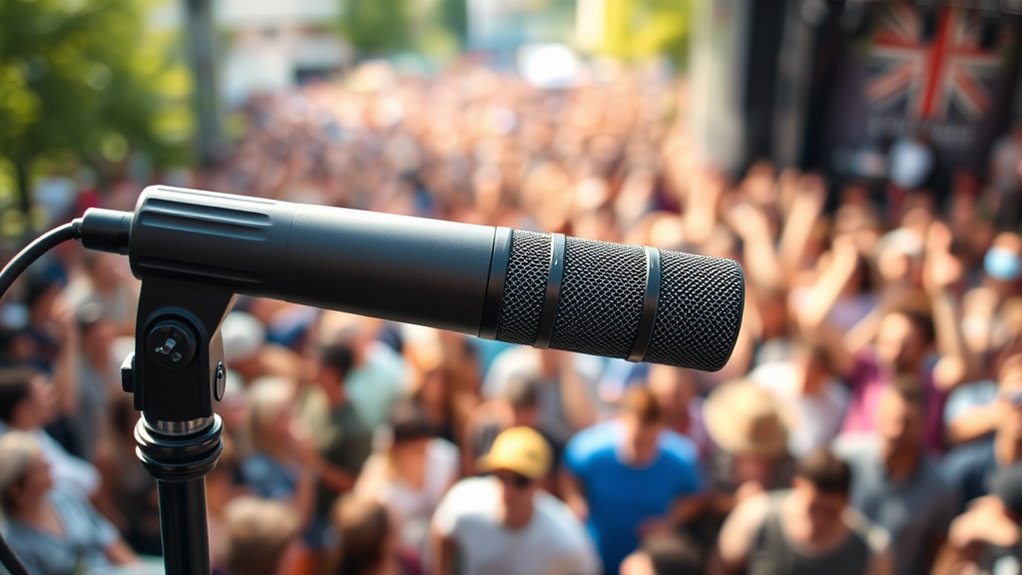

To capture clean audio in a crowd, choose high-quality wireless or directional microphones placed close to your sound source. Use windshields or foam covers to block wind noise, and find quiet spots away from traffic or chatter. Monitor your sound with headphones and make adjustments as needed. Incorporate simple soundproofing or barriers to reduce background noise. Continue exploring for more tips to improve your audio quality even further.

Get movie nights delivered free with Prime
- Fast, free delivery on millions of items
- Prime Video, Amazon Music and more included
- Member-only deals all year
Key Takeaways
- Use directional microphones like shotgun or lapel mics to focus on the speaker and reject background noise.
- Position microphones close to the sound source and monitor audio in real-time for optimal clarity.
- Employ windshields, foam covers, or sound barriers to reduce wind noise and ambient sounds.
- Select quieter locations and utilize natural barriers to shield the microphone from external noise sources.
- Combine soundproofing techniques with high-quality wireless systems for stable, clear audio in crowded environments.

Clear audio is essential for professional-quality recordings, and achieving it starts with understanding the fundamentals of capturing sound. When you’re recording in a crowded environment, your choice of equipment and environment becomes even more pivotal. Wireless microphones are a game-changer in these situations because they give you mobility and reduce cable clutter that can cause noise or accidental disconnections. Opt for high-quality wireless systems designed for clarity; they typically have better signal stability and less interference, which is vital when ambient noise levels are high. Position the microphone close to the subject to minimize background noise and maximize audio clarity. Using directional wireless microphones, like shotgun or lapel mics, helps focus on your voice while rejecting side and rear sounds, making them ideal for crowded settings.
Soundproofing techniques also play a significant role in capturing clean audio amid chaos. While complete soundproofing isn’t always feasible outdoors, you can implement simple measures to reduce unwanted noise. Portable sound booths or reflective panels can help block or absorb ambient sounds, especially if you’re recording indoors or semi-enclosed spaces. If you’re outdoors, consider using windshields or foam covers on your wireless microphone; these prevent wind noise and plosive sounds that can muddy your recording. Additionally, choose your recording spot wisely—find a quieter corner or an area shielded from traffic and crowd noise. Using natural barriers like walls or vehicles can also mitigate some external sounds.
Managing your environment is just part of the equation. You should also pay attention to your microphone placement. Keep the microphone as close as possible to your mouth or sound source without causing discomfort or distortion. This proximity helps your voice stand out against the background and reduces the pickup of distant noises. Test your setup before the actual recording to identify and troubleshoot any issues with interference or unwanted sounds. If possible, use headphones to monitor your audio in real time so you can make adjustments on the spot, like repositioning the mic or changing your environment slightly. Additionally, selecting equipment with robust build quality can enhance durability and consistent performance in challenging environments.
In essence, capturing clean audio in a crowded setting requires a combination of the right technology and strategic environment management. Wireless microphones provide mobility and clarity when paired with soundproofing techniques like windshields, sound barriers, and proper placement. With careful planning and attention to detail, you can produce recordings that sound professional, even amidst chaos. Your goal is to isolate your voice from the noise, making your recordings clear, crisp, and impactful.
wireless shotgun microphone for outdoor recording
As an affiliate, we earn on qualifying purchases.
As an affiliate, we earn on qualifying purchases.
Frequently Asked Questions
How Can I Minimize Background Noise During Live Recordings?
To minimize background noise during live recordings, you should use noise canceling gear like directional microphones and headphones. Additionally, apply soundproofing techniques such as isolating your recording area with acoustic panels or barriers. Position your microphone carefully, close to the sound source, and avoid areas with high ambient noise. Combining these methods guarantees clearer audio and reduces unwanted background sounds effectively.
What Are the Best Microphones for Outdoor Crowd Environments?
You should choose microphones with strong directional pickup patterns like hypercardioid or shotgun mics, which focus on the sound source and reduce ambient noise. Always use wind protection, such as windshields or dead cats, to minimize wind noise outdoors. These mics help you capture clear audio in outdoor crowd environments by effectively rejecting background sounds and handling wind interference, ensuring your recordings stay crisp and intelligible.
How Does Microphone Placement Affect Audio Quality in Crowds?
You might think microphone placement doesn’t matter, but it actually plays a vital role in audio quality. By considering wind direction, you can avoid unwanted noise, while adjusting microphone orientation helps focus on your target sound. Position your mic facing the source and away from prevailing winds to minimize interference. Proper placement guarantees clearer, more professional audio, even in noisy crowd environments.
Are Wireless Microphones Effective in Noisy Settings?
Wireless microphones can be effective in noisy settings if you prioritize wireless reliability and choose your frequency carefully. Opt for models with strong signal stability and select frequencies less prone to interference. Regularly monitor your wireless connection and switch channels if needed to maintain clear audio. Proper frequency selection helps avoid signal dropout, ensuring your microphone performs well even amid crowd noise, giving you cleaner, more reliable sound capture.
How Can I Prevent Audio Clipping in Crowded Recordings?
Think of your audio equipment as a delicate balance beam. To prevent clipping, you need to carefully manage your audio gain, ensuring it’s not too high. Adjust your levels to stay within the dynamic range, giving your recordings enough headroom to handle loud sounds without distortion. Regularly monitor your levels during recording, and use limiters if available, so sudden loud noises don’t push your audio into clipping territory.
lapel microphone with windscreen
As an affiliate, we earn on qualifying purchases.
As an affiliate, we earn on qualifying purchases.
Conclusion
Now that you know these practical techniques, capturing clear audio in a crowded environment becomes less intimidating. Think of your microphone as a detective, sniffing out the true sound amid chaos. With patience, positioning, and the right tools, you’ll turn noisy backgrounds into mere whispers. Remember, every challenge is just an opportunity to sharpen your skills. Keep experimenting, stay adaptable, and soon, you’ll record crystal-clear sound even in the busiest settings.
As an affiliate, we earn on qualifying purchases.
high-quality wireless microphone system
As an affiliate, we earn on qualifying purchases.
As an affiliate, we earn on qualifying purchases.
Halloween Picks
halloween
As an affiliate, we earn on qualifying purchases.