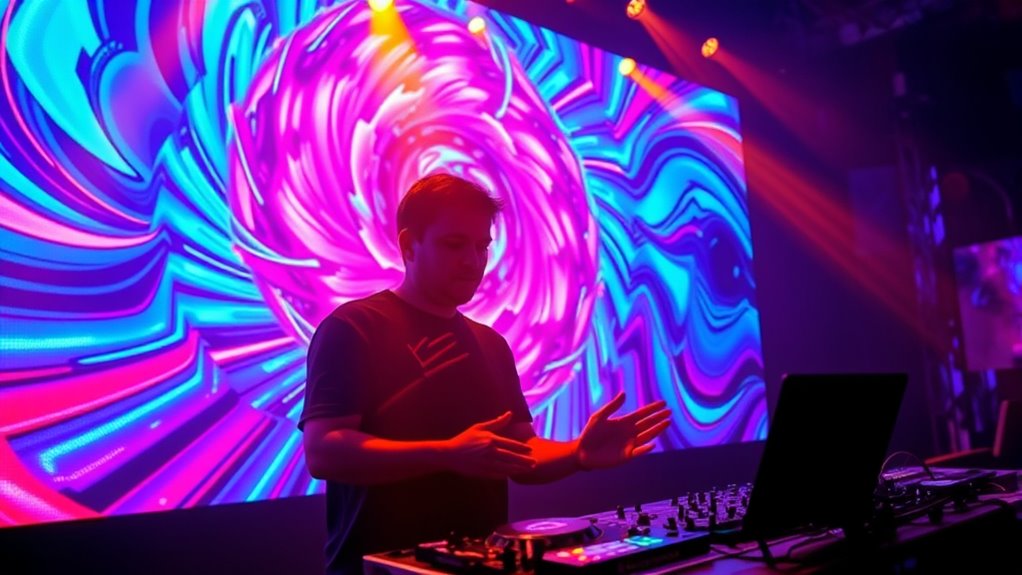

As a VJ, you create dynamic visuals that transform static events into immersive experiences. You select, manipulate, and project visuals that match the music, setting the mood and energizing the crowd. You work with software and hardware to guarantee everything runs smoothly and stays in sync. Your role is to respond quickly to the vibe and keep visuals engaging. Keep exploring to discover more ways VJs elevate live performances and captivate audiences.
Key Takeaways
- VJs transform static visuals into immersive, real-time experiences that enhance music and atmosphere at live events.
- They select, create, and manipulate visual content using software and hardware to match the event’s theme and vibe.
- VJs synchronize visuals with music via beatmatching, tempo, or MIDI to ensure seamless integration.
- Collaboration with DJs, lighting technicians, and event organizers ensures cohesive and impactful visual storytelling.
- They stay updated on current visual trends and tools to continuously refine their skills and captivate audiences.
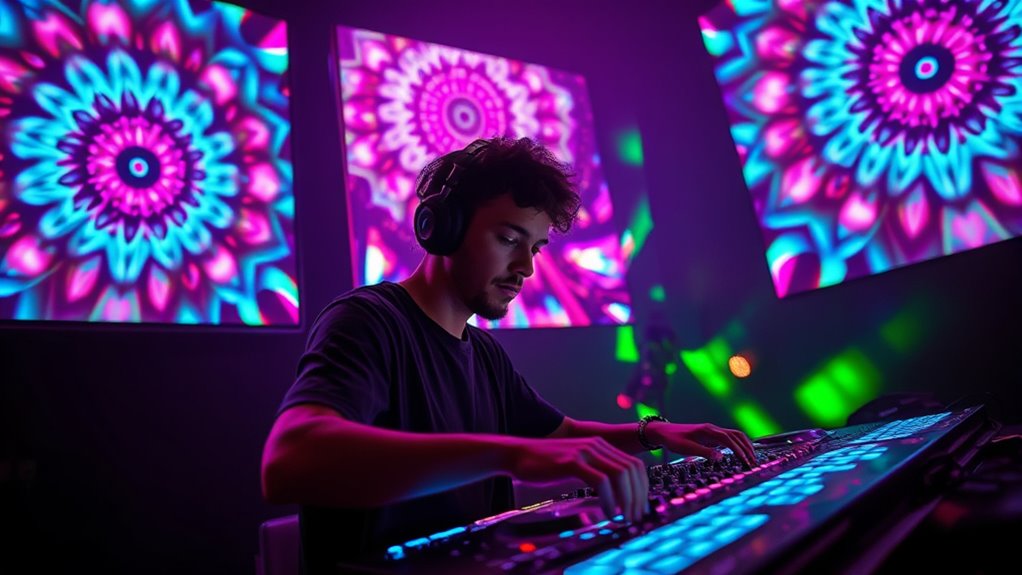
Live visuals have become an indispensable tool for engaging audiences and enhancing presentations, whether in concerts, corporate events, or online streams. As a VJ, you play a pivotal role in transforming a static event into an immersive experience. Your primary responsibility is to curate, manipulate, and project visuals that complement the music and atmosphere, making sure every visual element aligns with the vibe and energy of the event. You don’t just display images; you craft a visual journey that captures attention, evokes emotions, and elevates the overall experience.
To succeed, you need a solid understanding of the technology involved. This includes software like Resolume, TouchDesigner, or VDMX, which enables you to mix and manipulate visuals in real-time. You’ll also work with hardware such as projectors, LED screens, and media servers to guarantee your visuals are displayed clearly and smoothly. Your setup demands both technical skill and artistic sensibility. You should be able to troubleshoot technical issues quickly, so the event remains seamless. Knowing how to sync visuals with music—whether through beatmatching, tempo matching, or using MIDI controllers—is essential for creating a cohesive, dynamic show.
A big part of your work involves selecting or creating visuals that fit the event’s theme. This could mean designing abstract animations, live-capturing footage, or manipulating pre-made clips to match the mood. Your creativity shines when you layer visuals, add effects, and adjust colors in real time to respond to the energy of the crowd or the progression of the music. You’re often expected to improvise and adapt on the fly, making split-second decisions to keep the visuals engaging and synchronized.
Collaboration is also key. You’ll work closely with DJs, musicians, event organizers, and lighting technicians to ensure your visuals complement other elements on stage. Communication is essential—understanding their vision helps you tailor your visuals to enhance the overall aesthetic. As a VJ, you must stay updated on current trends and new tools, constantly honing your skills through practice and experimentation. Incorporating predictive analytics can help anticipate audience responses and tailor visuals accordingly, making your performances more impactful.
Ultimately, your goal is to create a captivating visual experience that leaves a lasting impression. Whether you’re adding subtle effects or creating a full-scale visual spectacle, your work amplifies the event’s impact. By blending technical expertise with artistic vision, you help turn a simple event into an unforgettable experience, making you an indispensable part of any live production.
![MixPad Free Multitrack Recording Studio and Music Mixing Software [Download]](https://m.media-amazon.com/images/I/71ltIxIuz1L._SL500_.jpg)
MixPad Free Multitrack Recording Studio and Music Mixing Software [Download]
Create a mix using audio, music and voice tracks and recordings.
As an affiliate, we earn on qualifying purchases.
As an affiliate, we earn on qualifying purchases.
Frequently Asked Questions
What Equipment Is Essential for Live VJING?
You need a reliable computer or laptop with a fast processor and plenty of RAM to handle real-time visuals. A MIDI controller or graphics tablet helps you control effects smoothly. You’ll also want a multi-output video interface to connect to projectors or screens, plus software like Resolume or TouchDesigner for live mixing. Don’t forget quality video cables and a backup power supply to guarantee your visuals run seamlessly.
How Do VJS Synchronize Visuals With Music?
Imagine you’re a DJ in a neon-lit arcade. To synchronize visuals with music, you tap into the beat using software like Resolume or TouchDesigner. You can sync visuals manually by lining up clips with the music’s rhythm or automate it with MIDI or OSC signals. Keep an ear tuned to the tempo, and adjust your visuals in real-time to match the energy, creating a seamless audiovisual experience.
What Skills Are Most Important for Aspiring VJS?
You need strong technical skills, like understanding software, hardware, and timing, to succeed as a VJ. Creativity is vital for crafting engaging visuals that match the vibe. You should also develop good multitasking abilities, working seamlessly during live shows. Communication skills help you collaborate with performers and crew. Finally, adaptability and quick thinking are essential to handle technical issues and improvise when needed.
How Do VJS Create Custom Visuals?
You create custom visuals by using software like Resolume or TouchDesigner, where you can design graphics from scratch or modify existing assets. Start by exploring various tools and experimenting with layers, effects, and shifts to craft unique visuals tailored to your event. Incorporate your own artwork or footage, and tweak parameters until you achieve the desired look. Practice regularly to develop your style and efficiently produce visuals that enhance the live experience.
What Are Common Challenges Faced by VJS?
You often face technical issues like software glitches, hardware failures, or connectivity problems that disrupt your flow. Balancing creativity with real-time responsiveness can be stressful, especially under tight deadlines or live event pressures. You might also struggle with syncing visuals to music or managing multiple sources simultaneously. These challenges require quick problem-solving, adaptability, and a solid understanding of your tools to guarantee smooth and engaging visual experiences.

ENDYSHOW LED Stage Light Bar,50W LED 4in1 RGBW DJ Lights Bar with Remote Control Sound Activated DMX Stage Lighting Uplights for Church Events Wedding Disco Party Stage DJ Lighting 2Pack
RGBW Wall Washer Light Bar:Stage lights bar adopts 9*4w RGBW 4IN1 high quality led beads, the beam angle…
As an affiliate, we earn on qualifying purchases.
As an affiliate, we earn on qualifying purchases.
Conclusion
Now that you know what VJs do, you’ll see live visuals as more than just background—they’re an essential part of the experience. Some might think it’s complicated or unnecessary, but with a little practice, you’ll find it’s accessible and incredibly rewarding. Don’t be intimidated—everyone starts somewhere. Immerse yourself, experiment, and soon, you’ll be creating visuals that amplify every beat and mood, making your events unforgettable. The world of live visuals is waiting for you.

Akai Professional LPD8 – USB MIDI Controller with 8 Responsive RGB MPC Drum Pads for Mac and PC, 8 Assignable Knobs and Music Production Software
Beat Maker Essential – 13" pad controller for music production with 8 RGB-backlit responsive MPC drum pads for…
As an affiliate, we earn on qualifying purchases.
As an affiliate, we earn on qualifying purchases.

X-MEDIA XM-PS110U 1-Port 10/100Mbps Fast Ethernet USB Print Server | USB 2.0 Port Network Print Server
Compatible with more than 320 printer models on the market
As an affiliate, we earn on qualifying purchases.
As an affiliate, we earn on qualifying purchases.