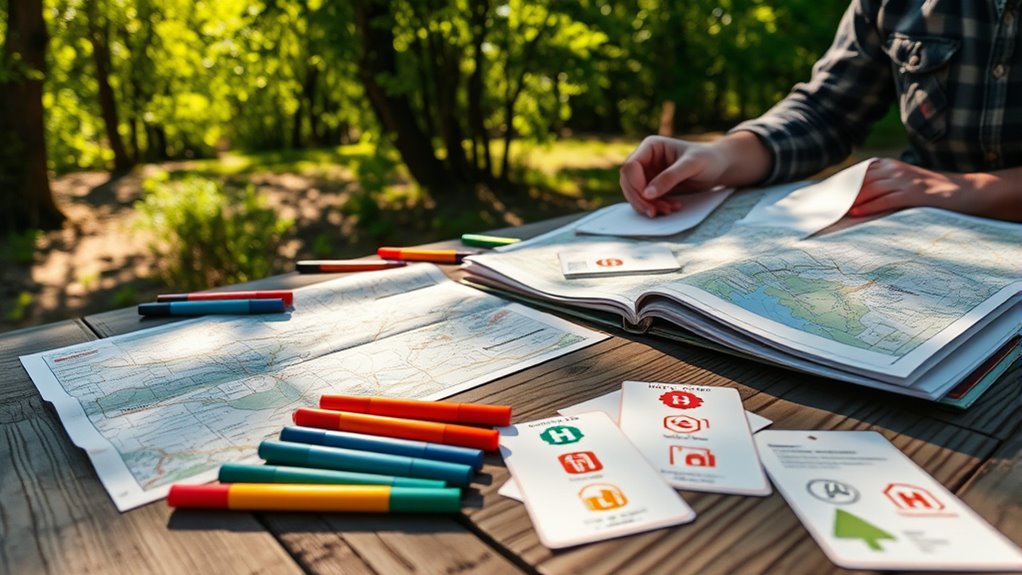

To create offline maps, download maps from trusted sources like OpenStreetMap or your navigation app, and test their offline functionality before your trip. For emergency info cards, include key details like contacts, allergies, and medical conditions, and laminate them for durability. Keep physical copies in accessible places and store digital maps on fully charged devices. If you continue exploring, you’ll find helpful tips to maximize your preparedness and make certain you’re always ready.

Get movie nights delivered free — and shop member deals
- Fast, free delivery on millions of items
- Access to Prime Big Deal Days deals on October 6–7
- Prime Video, Amazon Music and more included
Key Takeaways
- Pre-download maps via apps like Google Maps or Maps.me, focusing on specific regions needed for your trip.
- Use trusted sources such as OpenStreetMap or official city maps for accurate offline data.
- Design emergency info cards with clear, bold text, universal symbols, and essential medical details; laminate for durability.
- Store physical copies of maps and emergency cards in accessible, protected locations like wallets or backpacks.
- Test offline map functionality and device battery life before travel to ensure continuous navigation and safety.

Having offline maps and emergency info cards can be lifesavers when you’re traveling to unfamiliar areas or in situations where internet access is limited. When you’re orienting yourself without reliable cell service, your choice of map data sources becomes crucial. You need accurate, detailed maps that can be stored locally on your device or printed out if necessary. Many mapping apps allow you to download specific regions ahead of time, ensuring you have access to street layouts, landmarks, and points of interest even without an internet connection. Choose trusted sources like OpenStreetMap or official city maps, which often provide comprehensive and up-to-date data. By preloading these map data sources, you avoid the frustration of losing your way or getting stuck in unfamiliar terrain. Selecting maps that are compatible with your device’s offline capabilities is essential for seamless navigation when connectivity drops.
Creating effective emergency info cards is equally important. These cards should include essential details such as your name, emergency contacts, allergies, medical conditions, and any medications you’re taking. Keep the design simple but clear, with bold headings and legible fonts. The emergency contact design should prioritize quick readability—use contrasting colors and large fonts to make sure the information stands out at a glance. Incorporate universally recognized symbols for medical needs or emergency services, making it easier for others to assist you if needed. Also, consider including a brief note about your language preferences or special instructions, especially if you’re traveling abroad. The goal is to make your emergency info card a quick reference that anyone can understand and use to help you efficiently.
When creating your offline maps and emergency info cards, think about durability and accessibility. Laminating your emergency cards can protect them from water, dirt, and wear, ensuring they remain legible throughout your trip. Keep a few copies in different locations—your wallet, backpack, or car—so you always have access, regardless of your situation. For digital maps, ensure your device is fully charged and that you’ve tested the offline features beforehand. Consider setting up a backup plan, like printing out a physical map or carrying a portable charger, to avoid being stranded without navigation tools or emergency info.
As an affiliate, we earn on qualifying purchases.
Frequently Asked Questions
What Devices Are Compatible With Offline Maps and Emergency Info Cards?
You can use smartphones and tablets for offline maps and emergency info cards, as long as they meet device compatibility and app requirements. Most iOS and Android devices support popular apps like Google Maps and specialized emergency apps. Make sure your device has enough storage and a recent OS version. Check app compatibility before downloading, and keep your device updated to access all features for offline navigation and emergency information.
How Often Should Offline Maps Be Updated for Accuracy?
You should update offline maps regularly to guarantee accuracy maintenance and keep your navigation reliable. The ideal map update frequency depends on how often roads or points of interest change in your area, but generally, updating every 3 to 6 months is recommended. This way, you stay current with new routes, closures, and updates, reducing the risk of navigation errors and enhancing your overall experience during travel or emergencies.
Can Emergency Info Cards Include Multilingual Information?
Yes, emergency info cards can include multilingual support to guarantee clear communication during crises. You should incorporate cultural customization by translating key information into multiple languages relevant to your community or visitors. This approach helps diverse users understand vital details quickly and reduces misunderstandings. Make certain the translations are accurate and culturally appropriate, so everyone feels confident using the cards in emergency situations, ultimately enhancing safety and accessibility for all.
Are There Privacy Concerns When Creating and Sharing These Cards?
Think of your emergency info card as a treasure map—valuable, but you must guard it carefully. Yes, there are privacy risks and data security concerns when sharing these cards, especially if sensitive information is included. To protect yourself, use secure methods and limit the info you share. Always guarantee that only trusted parties access your data, so your personal details remain safe, just like safeguarding a precious treasure.
How to Access Offline Maps During a Device Malfunction or Battery Failure?
During a device malfunction or battery failure, you can access offline maps by guaranteeing you’ve previously saved them in offline map storage. Make sure to keep a device backup that includes these maps. This way, even without internet or power, you can navigate using your stored offline maps. Regularly updating and verifying your offline map storage helps ensure you stay prepared for emergencies or technical issues.
As an affiliate, we earn on qualifying purchases.
Conclusion
By creating offline maps and emergency info cards, you’re better prepared for any situation. These simple tools can make all the difference when connectivity drops or emergencies strike. Isn’t being ready worth a few minutes of your time? Take action now to guarantee you have crucial information at your fingertips, no matter where you are. Being prepared isn’t just smart — it’s indispensable for your safety and peace of mind.
As an affiliate, we earn on qualifying purchases.
As an affiliate, we earn on qualifying purchases.
Fall Picks
fall essentials
As an affiliate, we earn on qualifying purchases.