To create a shared camp document everyone uses, choose an accessible platform like Google Docs or a cloud drive that supports real-time editing. Organize it with clear sections for schedules, emergency plans, staff info, and checklists. Make sure all team members know how to access and update it regularly. Regularly review and keep the information current to prevent confusion. Implementing these steps helps keep your team coordinated and efficient—keep going to learn more about setting it up effectively.

Get movie nights delivered free with Prime
- Fast, free delivery on millions of items
- Prime Video, Amazon Music and more included
- Member-only deals all year
Key Takeaways
- Choose a user-friendly, accessible platform like Google Docs or a shared cloud drive for real-time collaboration.
- Structure the document with clear sections such as schedules, contact info, emergency procedures, and responsibilities.
- Assign specific roles, like camp coordinator, to oversee updates and ensure information remains current.
- Schedule regular reviews and updates to keep the document accurate and relevant throughout the camp.
- Communicate the document’s importance clearly and encourage consistent use among all team members.
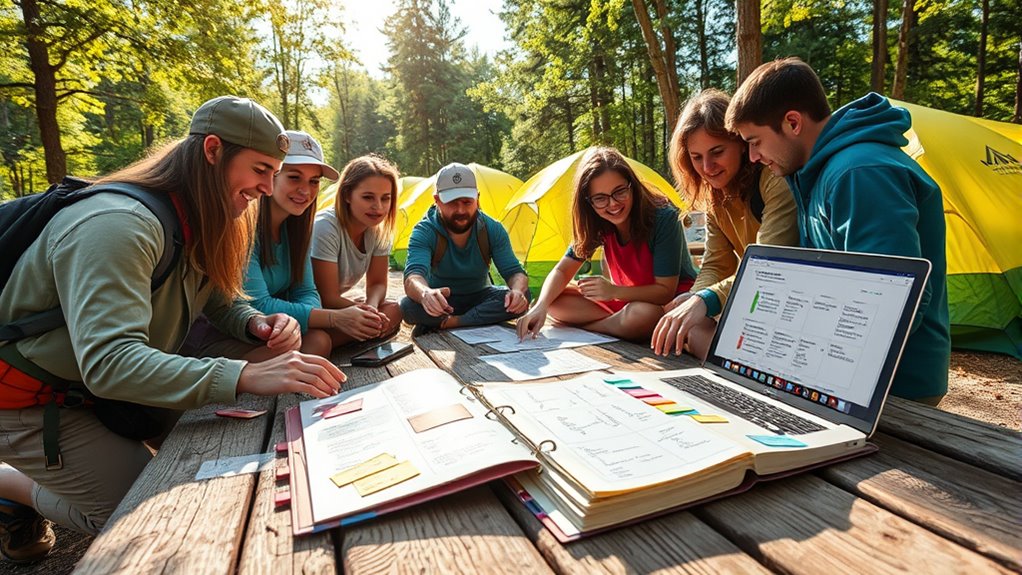
Having a shared camp document can streamline communication and guarantee everyone stays on the same page. When you’re managing a camp, effective camp organization is essential to ensure operations run smoothly and all participants are well-informed. A centralized document acts as the go-to hub for schedules, responsibilities, contact info, and essential updates. It eliminates confusion caused by multiple emails or scattered notes, helping your team stay aligned at all times.
A shared camp document keeps everyone aligned, organized, and informed for smooth operations.
To set up an efficient shared camp document, start by choosing the right platform—something accessible and easy to update, like Google Docs or a shared cloud drive. These tools support real-time editing, which means your team can make quick adjustments without the hassle of version control issues. When creating the document, structure it clearly with sections for daily schedules, emergency procedures, staff rosters, equipment checklists, and important contact details. This organization allows everyone to locate information quickly, saving precious time during busy camp days.
Implementing solid communication strategies is crucial to maximize the document’s effectiveness. Make sure all team members know how to access and update the document from the start. Encourage transparency by requesting regular input, especially during planning stages or when changes occur. This collaborative approach fosters accountability and ensures everyone feels involved. Additionally, designate specific roles—such as a camp coordinator or lead organizer—to oversee updates and ensure the document remains current. Clear roles prevent overlapping efforts and confusion about who is responsible for particular sections.
Regularly reviewing and updating the shared camp document is another key component of good camp organization. Schedule periodic check-ins to verify information accuracy, especially as plans evolve or new challenges arise. This habit helps prevent outdated details from leading to miscommunication. Also, consider establishing protocols for urgent updates, like a dedicated section or a highlighted alert system, so critical information isn’t missed. Incorporating juice detox considerations can be a helpful analogy for maintaining clarity and freshness in your information, ensuring it remains useful and effective.
Finally, communicate the importance of using the shared document to your entire team. Reinforce that it’s the primary source of truth for camp operations. When everyone understands its value and adheres to consistent communication strategies, the document becomes a powerful tool that enhances overall camp management. This unified approach minimizes misunderstandings, boosts efficiency, and creates a cohesive environment where all team members can perform their roles confidently. By investing effort into creating and maintaining a shared camp document, you set your camp up for success, making sure everyone is on the same page every step of the way.
Google Docs portable laptop stand
As an affiliate, we earn on qualifying purchases.
As an affiliate, we earn on qualifying purchases.
Frequently Asked Questions
How Do I Ensure Everyone Updates the Document Regularly?
To guarantee everyone updates the document regularly, you should establish team accountability by assigning specific roles and deadlines. Use update reminders through emails or notifications to prompt team members and keep everyone on track. Regular check-ins help reinforce the importance of maintaining the document, and setting clear expectations encourages consistent contributions. This approach keeps the shared document current, accurate, and useful for everyone involved.
What Tools Are Best for Real-Time Collaboration?
You should use cloud-based tools like Google Docs or Microsoft 365 for real-time collaboration, as they allow everyone to edit simultaneously and see updates instantly. These tools also support offline editing, so team members can work without internet and sync changes once they’re back online. This approach keeps your camp document current and accessible, ensuring everyone stays on the same page effortlessly.
How Can I Secure Sensitive Information in the Document?
To secure sensitive information in your shared document, you should prioritize robust encryption protocols and strict access controls. These measures act like a digital fortress, safeguarding your data from unwanted eyes. Use encryption to keep your info private during storage and transmission, and set access controls to ensure only trusted team members can view or edit sensitive sections. Combining these strategies helps you maintain confidentiality and peace of mind.
What Permissions Should I Assign to Different Users?
You should assign permissions based on access control and user roles. Grant full editing rights only to trusted team members responsible for updates. For others, provide view-only access to prevent accidental changes. Use role-based access control to streamline this process, ensuring each user has appropriate permissions aligned with their responsibilities. Regularly review and update roles to maintain security and prevent unauthorized modifications.
How Do We Track Changes and Contributions Effectively?
To track changes and contributions effectively, you should use version control features in your shared document, which automatically saves each update and allows you to see revision histories. Encourage contributors to add comments or use track changes to acknowledge their input explicitly. Regularly review the version history to monitor who made what changes, ensuring proper contribution acknowledgment and maintaining a clear record of edits for accountability.
camp organization checklist binder
As an affiliate, we earn on qualifying purchases.
As an affiliate, we earn on qualifying purchases.
Conclusion
By creating this shared camp document, you build a sturdy bridge that connects everyone’s efforts, fostering unity and clarity. Think of it as planting a common seed, nurturing growth and understanding among your team. As each person adds their touch, the document becomes a lighthouse guiding everyone safely through the fog. Together, you craft a foundation that withstands storms, reminding you that shared effort is the true compass steering your camp toward success.
As an affiliate, we earn on qualifying purchases.
team communication walkie talkies
As an affiliate, we earn on qualifying purchases.
As an affiliate, we earn on qualifying purchases.
Halloween Picks
halloween
As an affiliate, we earn on qualifying purchases.