To extend your device’s battery life without outlets, manage settings like lowering screen brightness, turning off unnecessary features like Bluetooth and location services, and closing unused apps. Limit background activity and switch to Wi-Fi instead of cellular data when possible. Enable power-saving modes and keep your software updated for optimization. Avoid extreme temperatures to preserve your battery health. Keep these tips in mind to stay powered longer—more strategies to help you conserve energy await if you keep exploring.
Key Takeaways
- Adjust screen brightness and enable auto-brightness to reduce display power consumption.
- Close unused apps and limit background activity to prevent unnecessary battery drain.
- Turn off Bluetooth, Wi-Fi, GPS, and mobile data when not in use to conserve energy.
- Enable power-saving modes and manage connectivity settings based on your needs.
- Keep software updated and avoid extreme temperatures to maintain optimal battery health.
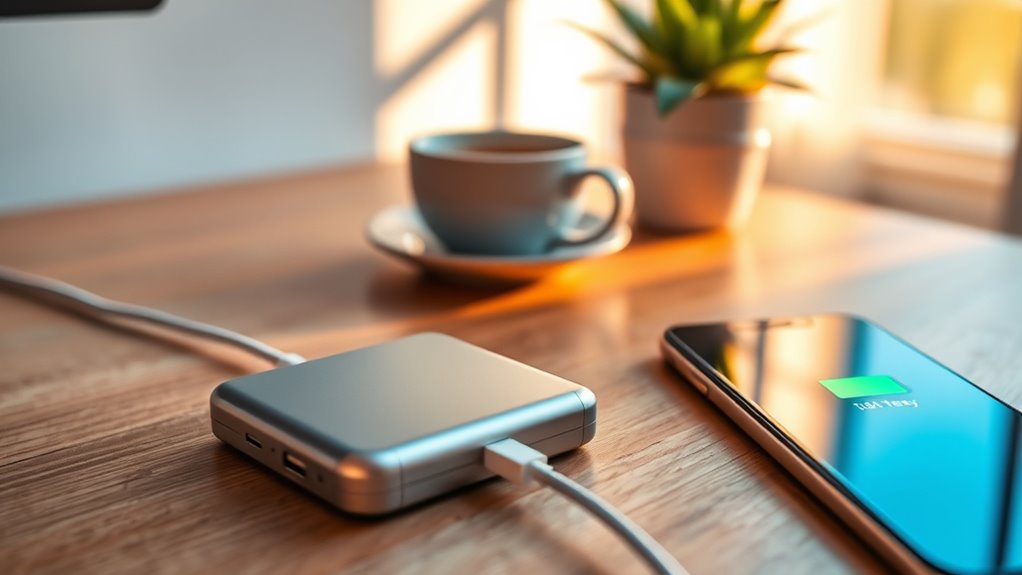
Have you ever wondered why your battery drains quickly or doesn’t last as long as expected? It’s a frustrating experience, especially when you’re relying on your phone, tablet, or laptop to get through an important call, presentation, or trip. The truth is, battery life isn’t just about the hours a device can run; it’s about how efficiently it uses power and how well you manage that power throughout the day. Understanding what drains your battery and how to optimize its longevity can make a significant difference, giving you more power when you need it and reducing the anxiety of unexpected shutdowns.
One of the main reasons your battery drains quickly is the way you use your device. High screen brightness, streaming videos, gaming, or running multiple apps at once can quickly deplete your battery. These activities demand more power from the processor and display, forcing your device to work harder and consume more energy. If you want to extend your device’s battery life, start by adjusting the screen brightness to a comfortable, lower level or enabling auto-brightness, which adapts to the ambient light. Closing unused apps and limiting background activity can also reduce unnecessary drain, as many apps continue to consume power even when you’re not actively using them.
Reducing screen brightness and closing unused apps conserve battery power effectively.
Another factor that impacts battery life is connectivity. Wi-Fi, Bluetooth, GPS, and cellular data all require power to maintain a connection. If you’re in a place with poor signal, your device works harder to maintain the connection, draining more battery. Turning off features you don’t need, such as Bluetooth or location services, when not in use can conserve energy. You might also enable airplane mode in areas with no service, preventing your device from constantly searching for a signal, which can be a hidden battery drain. Additionally, understanding how Bitcoin IRA management involves monitoring market trends can be likened to keeping an eye on your device’s power consumption to optimize performance.
Keeping your software up to date is another vital step. Manufacturers often release updates that optimize power consumption and fix bugs that cause excessive battery drain. Additionally, managing your device’s battery health by avoiding extreme temperatures and not letting the battery completely discharge regularly helps maintain its capacity over time. Using power-saving modes can extend battery life in critical moments by reducing background activity, limiting performance, and turning off non-essential features.
In the end, maximizing your device’s battery life is about being mindful of how you use it and making small adjustments to conserve power. By understanding what drains your battery and taking straightforward steps to manage those factors, you ensure your device stays powered when you need it most, making “power without outlets” a more achievable reality.

INIU 45W Fast Charging Portable Charger, 40% Smaller 10000mAh with Detachable Cable, Flight-Safe Travel Power Bank, USB C External Phone Battery Pack for iPhone 17 16 Pro iPad Samsung S26 Google etc
40% Smaller & Lighter Portable Charger: Powered by the industry’s first TinyCell high-density battery technology, this ultra-compact 10,000mAh…
As an affiliate, we earn on qualifying purchases.
As an affiliate, we earn on qualifying purchases.
Frequently Asked Questions
How Does Temperature Affect Battery Performance?
Temperature directly impacts your battery’s performance. When it’s too cold, your battery’s chemical reactions slow down, reducing its capacity and making it drain faster. In contrast, high temperatures can cause your battery to overheat, accelerating wear and decreasing lifespan. To keep your device running smoothly, avoid extreme temperatures, especially prolonged exposure, and store it in a cool, dry place when not in use.
Can Battery Life Be Extended Through Software Updates?
Yes, software updates can extend your battery life. Updates often include optimized algorithms that reduce power consumption, fix bugs that drain your battery, and improve system efficiency. By regularly installing updates, you guarantee your device runs smoothly and conserves energy better. Don’t ignore those notifications—they’re your device’s way of helping you get more out of your battery, so stay up-to-date for longer-lasting power on the go.
What Are the Best Storage Practices for Batteries?
You should store batteries in a cool, dry place, ideally at around 50% charge. Avoid exposing them to extreme temperatures or direct sunlight, which can cause damage. Keep batteries in their original packaging or a non-metal container to prevent short circuits. Regularly check stored batteries for leaks or corrosion, and recharge them if their voltage drops markedly. Proper storage extends battery lifespan and maintains ideal performance when you need them.
How Do Different Apps Impact Battery Drain?
Imagine your phone as a busy highway, with apps as vehicles constantly moving. Some apps, like games or streaming services, drain your battery faster because they use more power. Background apps also contribute silently to drain, even when you’re not actively using them. To conserve power, close apps you don’t need, limit background activity, and keep track of power-hungry apps. This way, you extend your device’s life on the go.
Are There Eco-Friendly Ways to Dispose of Batteries?
Yes, you can dispose of batteries eco-friendly by recycling them properly. Take used batteries to certified recycling centers or drop-off locations, often found at electronics stores or community centers. Avoid throwing batteries in regular trash, as they can leak harmful chemicals. Some manufacturers offer mail-in recycling programs. By recycling, you help reduce environmental harm and conserve resources, making your disposal process responsible and sustainable.
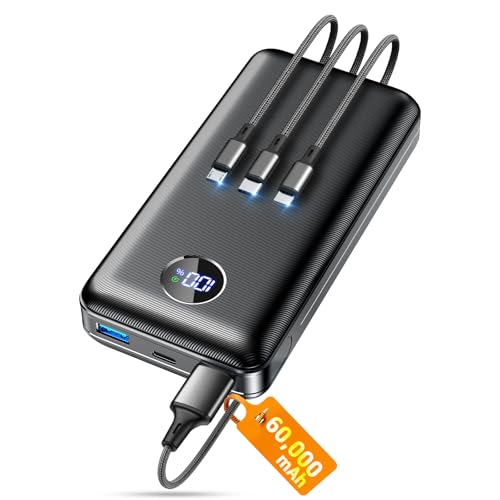
Portable Charger Power Bank, 60000mAh Battery Pack with 3 in 1 USB-C/iOS/Micro-USB Cable, 22.5W Fast Charging Portable Phone Charger, Travel Camping Essential Powerbank for iPhone 17/16 Samsung,Ebony
Huge Capacity 60000mAh Power Bank: ZZI portable charger features a new high-density polymer battery that provides 10 charges…
As an affiliate, we earn on qualifying purchases.
As an affiliate, we earn on qualifying purchases.
Conclusion
So, savvy smartphone users, sustain your device’s dynamism by staying savvy about battery basics. With mindful management and minimal missteps, you’ll master maximizing your mobile’s momentum. Don’t delay—drive down drain and delight in dependable power whenever you need it. Remember, small steps set the stage for sustained strength, so stay sharp, stay savvy, and savor the endless energy your battery brings. Power on, and keep your device’s life lively and lively!

GOMING 5V USB Dimmer Switch Female to Male 10 Brightness Levels for 5V Single Color USB LED Strip Light(2 Pcs)
【10-speed dimming】The USB dimmer switch adjusts the brightness of the USB monochrome LED strip from 10% to 100%.
As an affiliate, we earn on qualifying purchases.
As an affiliate, we earn on qualifying purchases.

2026 Wallet Tracker Card (iOS and Android) Slim Tracking Card, 6-12 Years Battery Bluetooth Smart Card, Work with Apple Find My & Google Find Hub, GPS Locator for Luggage, Passports, Keys, Backpack
Dual System Compatibility & Easy Steps: Wallet tracker natively works with both Google "Find Hub" and Apple"Find My"…
As an affiliate, we earn on qualifying purchases.
As an affiliate, we earn on qualifying purchases.