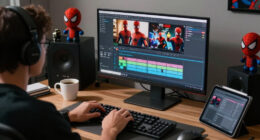

To create captions and subtitles for live performance clips, start by transcribing the audio accurately and use specialized software to sync captions with the speech precisely. Focus on clear, legible styling, contrasting colors, and proper placement to guarantee readability without distract. Adjust timing for natural flow and consider visual cues to avoid obstructing important elements. Paying attention to these details will help you produce accessible, engaging content—keep exploring to learn how to perfect your captioning process.
Key Takeaways
- Use specialized captioning software to synchronize text with live audio accurately.
- Ensure captions are styled with clear fonts, contrasting colors, and appropriate size for readability.
- Position captions at the bottom or adjusted to avoid blocking key visual elements during the performance.
- Transcribe audio precisely, capturing rhythm and pacing for natural and seamless caption flow.
- Adjust timing and formatting in real-time to maintain synchronization and enhance viewer engagement.
Adding captions and subtitles to live performance clips enhances accessibility and viewer engagement, guaranteeing that your audience can fully experience the content regardless of background noise or language barriers. When you’re creating these captions, one of the most essential elements is audio synchronization. You need to make sure that the text appears exactly when the words are spoken and disappears when the speaker stops. This precise timing helps viewers follow along effortlessly and prevents confusion. To achieve perfect audio synchronization, you can use specialized software that allows you to fine-tune the timing of each caption, ensuring it matches the rhythm and pace of the performance. This attention to detail makes your captions feel natural and unobtrusive, seamlessly integrating with the live content.
Caption styling also plays an indispensable role in making your subtitles effective and visually appealing. You want your text to be easy to read without distracting from the performance itself. Select a clear, legible font with adequate size, and choose contrasting colors that stand out against the background. Consistency in caption styling helps viewers quickly adapt to the format, reducing eye strain and improving comprehension. You might also consider adding background shading or outlines to the text for added visibility, especially when the video features complex or changing backgrounds. Remember, the goal is to make the captions as unobtrusive as possible while still being accessible, so strike a balance between visibility and subtlety.
You should also pay attention to the placement of captions on the screen. Typically, captions are positioned at the bottom, but depending on the video’s composition, placing them elsewhere may be necessary to avoid overlapping with important visual elements. Proper placement ensures that viewers don’t miss indispensable parts of the performance, whether it’s a performer’s face or an important visual cue. Additionally, think about incorporating punctuation, line breaks, and formatting to improve readability. Proper caption styling involves not just how the text looks but also how it’s presented, making sure it complements the overall aesthetic of the performance. Moreover, understanding audio transcription techniques can help you create more accurate and natural captions that enhance the viewer’s experience.

Burning Suite – Burn and Copy Software – CD/DVD/Blu-ray – Data, Music, Video – the all-in-one solution for Win 11, 10
- Data Backup and Protection: Securely back up files on discs
- Save Hard Drive Space: Archive large files to optical discs
- Wide File Compatibility: Convert and burn various file formats
As an affiliate, we earn on qualifying purchases.
As an affiliate, we earn on qualifying purchases.
Frequently Asked Questions
How Do I Ensure Real-Time Synchronization of Captions During Live Performances?
To guarantee real-time synchronization of captions during live performances, focus on timestamp accuracy by precisely matching each caption to the audio. Use reliable synchronization techniques, like real-time audio analysis and automated tools, to keep captions aligned. Continuously monitor and adjust timing as needed, and consider employing software with dynamic syncing features. This approach helps maintain seamless captioning, ensuring viewers stay engaged without distraction.
What Are the Best Tools for Automatic Caption Generation?
Imagine AI transcription as your trusty sidekick, effortlessly turning speech into text. For automatic caption generation, tools like Otter.ai, Rev, and Temi excel, providing quick, accurate AI transcription. These platforms often include caption editing features, allowing you to refine subtitles easily. They’re perfect for live performances, ensuring your captions stay synchronized and clear, so your audience stays engaged without missing a beat.
How Can I Handle Multiple Speakers or Performers in Captions?
You can handle multiple speakers or performers by using tools that support speaker differentiation and multilingual captions. Enable speaker labels to clearly identify who’s speaking, ensuring viewers can follow along easily. Choose captioning software that offers multilingual options, so you can cater to diverse audiences. Make sure the system accurately distinguishes between speakers, possibly through voice recognition, to keep captions organized and enhance viewer understanding during live performances.
What Are Accessibility Considerations Beyond Captions for Live Clips?
Beyond captions, you should consider providing audio descriptions for visually impaired viewers, offering detailed narration of visual elements. Additionally, including sign language interpretation guarantees accessibility for those who are deaf or hard of hearing. You can stream these services alongside your live clips or provide separate feeds. These measures create a more inclusive experience, helping all viewers access and enjoy the performance equally.
How Do I Manage Copyright Issues With Live Performance Content?
You need to prioritize music licensing and performer rights to manage copyright issues effectively. Did you know that over 60% of online content creators face copyright claims? To stay compliant, obtain proper licenses for the music used and secure permission from performers. Always credit the artists and performers involved, and keep records of licensing agreements. This proactive approach helps you avoid legal troubles while sharing live performance clips.

KDENLIVE USER GUIDE – 2026 EDITION: A Practical Video Editing Walkthrough — Master the Timeline, Effects, and Audio Tools That Put Full Control of Your … in Your Hands (From Setup to Mastery)
As an affiliate, we earn on qualifying purchases.
As an affiliate, we earn on qualifying purchases.
Conclusion
By mastering the art of creating compelling captions and subtitles, you amplify audience engagement and accessibility. Remember, clarity and consistency are key—your careful captions can connect viewers, convey emotions, and crown your content with credibility. So, take the time to transform your live moments into memorable messages. With precision and passion, you’ll produce powerful, poignant subtitles that not only support your performance but also showcase your skill and dedication. Keep creating, connecting, and captivating!
video caption synchronization software
As an affiliate, we earn on qualifying purchases.
As an affiliate, we earn on qualifying purchases.
live performance captioning device
As an affiliate, we earn on qualifying purchases.
As an affiliate, we earn on qualifying purchases.