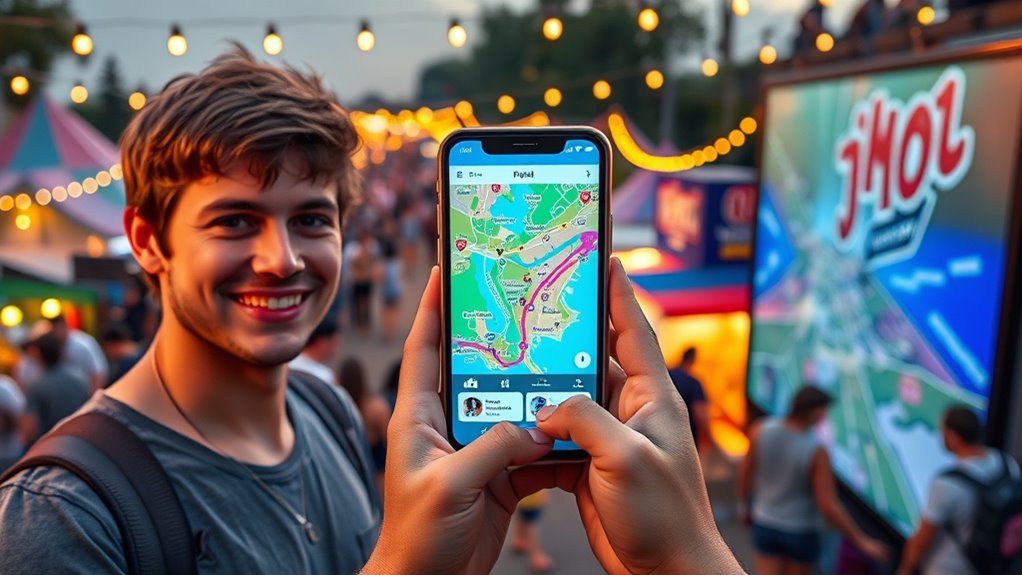
To use festival apps and maps effectively, explore their features before the event. Set reminders for performances, review the schedule, and familiarize yourself with the map layout. Use interactive maps to locate stages, vendors, and amenities, and rely on real-time updates to stay informed about schedule changes and crowd conditions. Keep your device charged and mark must-see acts. Want to maximize your festival experience? Keep going for tips that make steering easy and enjoyable.
Key Takeaways
- Familiarize yourself with the app’s schedule, maps, and alert features before the festival begins.
- Use the interactive maps to locate stages, vendors, and amenities, and utilize offline maps for reliable navigation.
- Set reminders and enable notifications for performances and schedule updates to stay informed.
- Plan your day by reviewing schedules and routes in advance to avoid missing key acts and prevent rushing.
- Keep your device charged and actively engage with app features to enhance your festival experience.

Have you ever struggled to find your way around a busy festival? It’s a common experience, especially when the crowds swell and the layout feels overwhelming. Luckily, festival apps and maps are designed to make your experience smoother. The first step is to familiarize yourself with how to access schedules within these apps. Most festival apps have a dedicated section where you can view detailed lineups, set times, and stage locations. Take a moment before the event to browse through the schedule, highlight your must-see acts, and set reminders. This way, you won’t miss your favorite performances or waste time searching for specific events during the festival. Using the app’s schedule feature also helps you plan your day more efficiently, ensuring you can hit multiple shows without rushing or missing out.
Familiarize yourself with festival apps’ schedules to navigate easily and enjoy your favorite acts stress-free.
Finding your way through crowds is another challenge that festival apps can help you overcome. These apps often include interactive maps that show the entire festival grounds, including stage locations, food vendors, restrooms, and emergency points. When you arrive, open the map to get your bearings. Many apps allow you to zoom in and out or search for specific points of interest, making it easier to locate your way around. If the festival is particularly crowded, use the app’s real-time features, like crowd density indicators or live updates, to avoid congested areas. Some apps even have personalized routes or suggested pathways to help you move through the crowds more efficiently. This prevents you from feeling overwhelmed and saves you time, especially when trying to catch a specific act or find the nearest amenities. Incorporating expert voice actors or immersive soundscapes in promotional materials can also enhance your overall festival experience.
Additionally, take advantage of any notifications or alerts the app offers. These can notify you when a performance is about to start or if there are any last-minute schedule changes. Setting these alerts ensures you stay up-to-date and don’t miss out on important events. As you become more familiar with the app’s features, you’ll find it easier to switch between sections—like checking the schedule, viewing the map, or reading festival updates—without losing your place. Remember to keep your device charged throughout the day; many festival apps work best with a stable internet connection, and offline maps can be a lifesaver if your signal drops.
In short, mastering festival apps and maps means actively engaging with their features—accessing schedules, finding your way through crowds, and staying informed. With a little preparation and a keen eye on real-time updates, you’ll find yourself moving through the festival grounds with confidence, enjoying more of what the event has to offer without the stress of disorganization or confusion.
Frequently Asked Questions
Can Festival Apps Work Offline During Network Outages?
Yes, festival apps can work offline during network outages if they support offline mode and app caching. You should download essential maps, schedules, and your ticket details beforehand. Make sure to enable offline mode when possible, so the app stores the necessary data locally. This way, you can navigate, access schedules, and find important info even without internet, ensuring you stay connected and informed throughout the festival.
How Do I Customize Notifications on Festival Apps?
You can easily tailor your experience by customizing notification settings and alert preferences. Explore the app’s menu, find the notifications section, and select the types of alerts you want to receive—whether it’s artist updates or schedule changes. Adjust the sound, vibration, or quiet modes to match your vibe. This way, you stay informed without feeling overwhelmed, ensuring you catch all the moments that matter most to you.
Are Festival Maps Accessible for People With Disabilities?
Yes, festival maps are designed with disability accessibility in mind, offering features like large fonts, high contrast, and easy-to-read icons. Many apps also provide alternative navigation options, such as audio guides or tactile maps, to help you move around comfortably. You can usually find these features in the accessibility settings of the app, ensuring a smoother experience regardless of your mobility or vision needs.
Can I Share My Location With Friends Through the App?
A word to the wise: sharing is caring, but not at the expense of privacy. Yes, you can share your location with friends through the festival app. Just head to the sharing location feature and adjust your privacy settings to control who sees your whereabouts. Always double-check your settings before sharing, so you keep your privacy intact while staying connected with friends. Remember, a little caution goes a long way.
How Do I Report Issues or Errors in the App?
If you encounter issues or errors, you can report them through the app’s troubleshooting or user feedback options. Simply find the feedback or help section within the app, describe the problem clearly, and submit your report. Your input helps improve the app’s functionality. Don’t hesitate to send detailed feedback, including screenshots if needed, so the support team can resolve the issue quickly and enhance your festival experience.
Conclusion
Now that you know how to navigate festival apps and maps, you’re ready to explore with confidence. Imagine the thrill of discovering hidden stages or secret food stalls—yet without the stress of getting lost. With these tools, you’re in control, blending excitement with organization. So, embrace technology and keep your adventure seamless. After all, the best festival memories come from both spontaneity and smart planning—making every moment unforgettable.