

To create captions and subtitles for live performance clips, focus on precise timing to match audio cues using specialized software or manual adjustments. Choose clear, easy-to-read fonts with high contrast against backgrounds, and keep styling consistent. Make certain captions are synchronized smoothly to avoid disrupting the viewer’s experience. Testing on different devices helps optimize clarity and accessibility. By mastering these techniques, you’ll produce engaging, inclusive content—more essential tips await as you continue to explore.
Key Takeaways
- Use specialized software to automate caption timing and synchronization with live audio cues.
- Carefully review and adjust caption timings post-creation for precise alignment with performance.
- Select clear, legible fonts and high-contrast colors to enhance readability across devices.
- Incorporate subtle shadows or outlines to improve text visibility against dynamic backgrounds.
- Continuously test captions on various screens and lighting conditions to ensure accessibility and clarity.
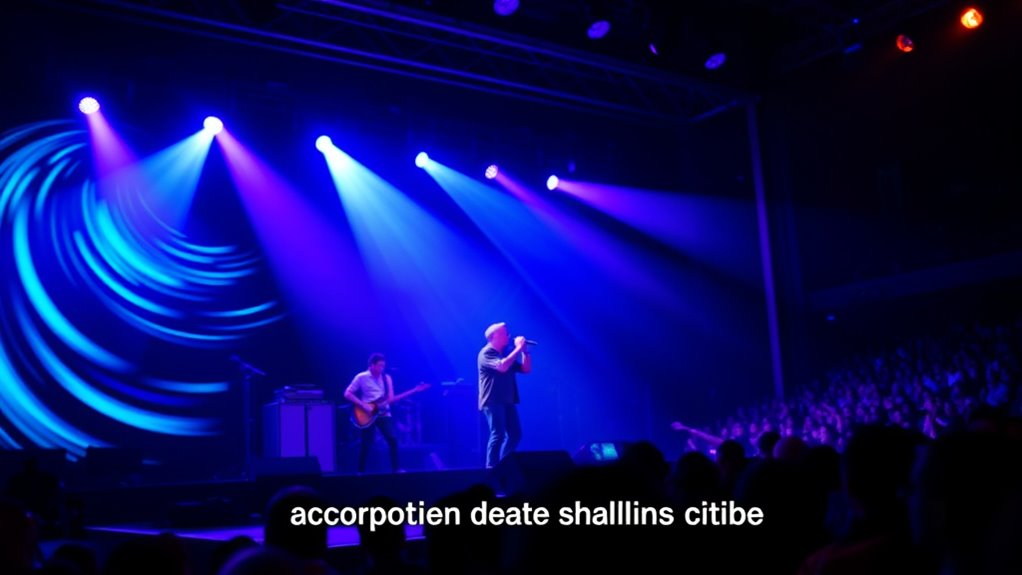
Captions and subtitles are essential tools for making live performance clips accessible and engaging for all viewers. When you’re creating these, one of your top priorities is ensuring that the text aligns perfectly with the audio. Audio synchronization isn’t just about matching words to sounds; it’s about creating a seamless experience where viewers can follow the performance effortlessly. If captions lag behind or appear too early, it disrupts the flow, making it harder for viewers to connect with the performance. To achieve precise audio synchronization, you need to carefully time each caption to correspond with the speech, lyrics, or sound cues. This might involve manually adjusting timestamps or using software that automates the process but always review the timing. Proper synchronization ensures that viewers, whether deaf or hard of hearing, or those watching without sound, stay engaged and informed without confusion or frustration.
Another critical aspect to take into account is font selection. The font you choose influences readability and overall viewer experience. You want a clear, legible font that stands out against the background of your video without being distracting. Sans-serif fonts like Arial, Helvetica, or Open Sans are popular choices because they’re clean and easy to read on various screen sizes. When selecting fonts, keep in mind the size as well—ensure the text isn’t too small, especially on mobile devices, but also avoid overly large fonts that might block important visuals. Consistency in font style and size throughout the clip helps viewers follow along smoothly and maintains a professional appearance. Additionally, consider the color of your text; it should contrast well with the background to maximize readability. Sometimes, adding a subtle shadow or outline can help the text pop without overwhelming the visual content. Ensuring proper contrast ratio is crucial for optimal readability, especially on different displays.
Balancing these elements—audio synchronization and font selection—requires careful attention but pays off by making your live performance clips accessible to a broader audience. When captions are timed accurately, viewers can enjoy the performance whether they’re hearing impaired or watching in a noisy environment. Effective font choices enhance clarity, making sure your captions are easily readable and don’t detract from the visuals. As you work through creating captions and subtitles, test your clips on different devices and lighting conditions, adjusting timing and styling as needed. Ultimately, well-synchronized captions paired with thoughtfully chosen fonts improve viewer engagement, ensuring everyone can experience the performance fully and enjoyably.

Music Software Bundle for Recording, Editing, Beat Making & Production – DAW, VST Audio Plugins, Sounds for Mac & Windows PC
No Demos, No Subscriptions, it's All Yours for Life. Music Creator has all the tools you need to…
As an affiliate, we earn on qualifying purchases.
As an affiliate, we earn on qualifying purchases.
Frequently Asked Questions
How Do I Synchronize Captions With Live Audio in Real-Time?
To synchronize captions with live audio in real-time, focus on maintaining precise timing accuracy and lip sync. Use software that offers real-time transcription and automatic timing adjustments, like live captioning tools or AI-powered platforms. Keep monitoring the audio and make quick manual edits if necessary to guarantee captions stay aligned with speech and music. Practicing smooth adjustments will help your captions stay synchronized, providing viewers with a seamless experience.
What Tools Are Best for Editing Live Captions After Recording?
You should use tools like Adobe Premiere Pro or Aegisub for editing live captions after recording. These programs allow you to fine-tune automatic transcription and adjust caption timing easily. With their user-friendly interfaces, you can correct any errors and synchronize captions perfectly with the audio. They also offer features to improve caption placement and readability, ensuring your subtitles are accurate and seamlessly integrated into your recorded clips.
How Can I Ensure Captions Are Accessible for Hearing-Impaired Viewers?
To make captions accessible for hearing-impaired viewers, you should include sign language interpretation or guarantee your captioning meets established standards. Use clear, accurate, and synchronized text, following captioning standards like proper timing and punctuation. Consider adding sign language interpretation as an alternative or supplement, and test your captions on different devices to guarantee readability. This approach ensures your content is inclusive and accessible to all audiences.
What Are Common Challenges in Captioning Live Performance Clips?
Imagine a tightrope walker balancing on a wire—captioning live clips is similar. You face challenges like maintaining timing accuracy, ensuring captions sync perfectly with live audio, and correctly identifying speakers amid overlapping dialogues. Rapid speech and background noise make it tough to keep captions clear and accurate. You need quick, reliable tools and keen attention to detail to overcome these hurdles and deliver an accessible viewing experience.
How Do I Handle Multiple Languages in Live Performance Captions?
To handle multiple languages in live performance captions, you should prioritize multilingual accuracy and translation consistency. Use reliable real-time translation tools or employ bilingual captioners to guarantee accuracy. Regularly verify translations to maintain consistency across languages, avoiding confusion. Incorporate clear language indicators, like flags or text labels, so viewers immediately recognize the language. This approach helps deliver a seamless experience for diverse audiences and maintains caption quality.
high contrast subtitle fonts for videos
As an affiliate, we earn on qualifying purchases.
As an affiliate, we earn on qualifying purchases.
Conclusion
By adding captions and subtitles, you transform a silent memory into a shared experience. They bridge gaps—connecting lyrics with listeners, visuals with words—making every moment accessible. Just as a stage lights up with energy, your captions illuminate understanding. So, embrace this duality: let your live clips shine visually and contextually, creating a performance that’s not only seen but truly felt by everyone, no matter where they are or how they experience it.
video caption synchronization tools
As an affiliate, we earn on qualifying purchases.
As an affiliate, we earn on qualifying purchases.
live performance captioning equipment
As an affiliate, we earn on qualifying purchases.
As an affiliate, we earn on qualifying purchases.