To make festival videos more immersive, focus on syncing audio perfectly with your footage and capturing authentic reactions and spontaneous moments. Use stabilizers or gimbals to keep your shots smooth, avoiding shaky footage that breaks immersion. Incorporate lively audio like crowd chatter and music, and employ high-quality visual tech to enhance colors and contrast. For an even more engaging experience, learn how advanced filming techniques and technology can elevate your videos—there’s plenty more to discover below.
Key Takeaways
- Synchronize high-quality audio with visuals, including ambient sounds and crowd noise, to create an authentic festival atmosphere.
- Use stabilization tools like gimbals for smooth, natural camera movements in crowded or dynamic scenes.
- Capture spontaneous, candid moments and energetic performances to convey the festival’s lively spirit.
- Apply proper framing and composition techniques to highlight key moments and enhance visual storytelling.
- Utilize advanced visual technology, such as high-quality projectors and vibrant color reproduction, to amplify scene vibrancy.
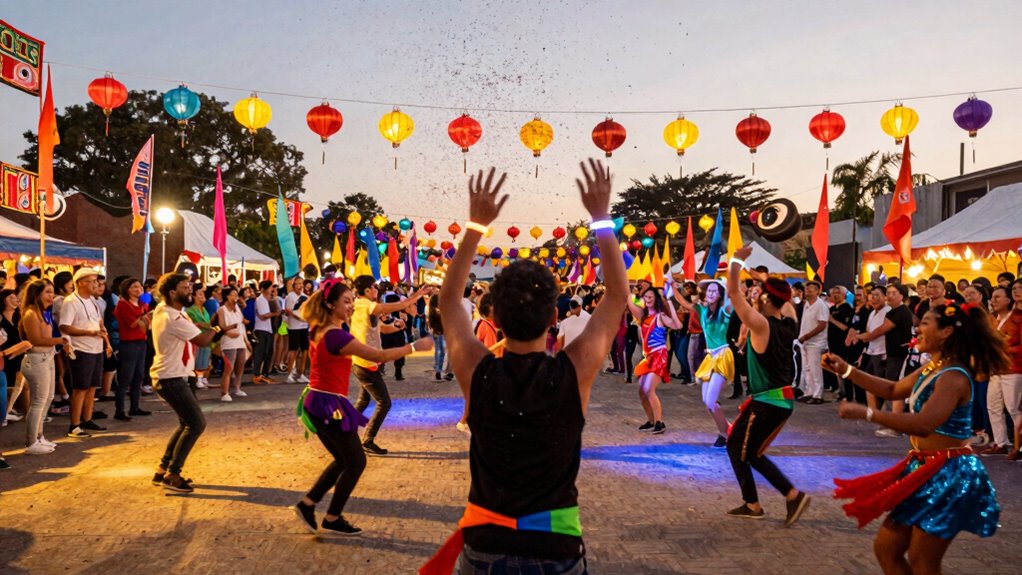
Capturing the vibrant energy of a festival can be challenging, but making your videos feel more immersive transforms viewers from passive observers into active participants. To do this, you need to focus on three key elements: audio synchronization, camera stabilization, and capturing authentic moments. When these elements work together seamlessly, your footage will feel alive and engaging. Incorporating fundamentals of filming such as proper framing and shot composition can also enhance the overall immersive effect. Using visual technology like high-quality projectors with accurate color reproduction and contrast ratios can help recreate the vividness of live festival scenes in your videos, making the experience even more captivating for your audience.
Start with audio synchronization. Festival sounds—music, cheers, footsteps, and crowd chatter—are what make viewers feel like they’re right there with you. To get this right, guarantee your audio is perfectly synced with your video footage. Use external microphones to record clear, high-quality sound, especially if you’re capturing live music or performances. When editing, pay close attention to aligning the audio with the visuals. A slight mismatch can break the illusion of immersion, so take your time to fine-tune the sync. Incorporating ambient sounds during editing can also deepen the sensory experience, making viewers feel more connected to the scene.
Next, prioritize camera stabilization. Shaky footage instantly pulls viewers out of the moment and diminishes the overall immersive quality. Invest in a good gimbal or stabilizer to keep your shots smooth, even when you’re moving through crowded spaces or dancing along with the crowd. If you’re shooting handheld, practice steady movements and avoid abrupt jerks. Smooth, flowing shots of the crowd, performers, or vibrant surroundings make your audience feel like they’re right there, experiencing the festival firsthand. Combining stabilized footage with well-timed zooms or pans can add cinematic flair while maintaining a sense of realism.
Finally, focus on capturing authentic moments that convey the festival’s atmosphere. Don’t just record performances or well-posed scenes—immerse yourself in the chaos and joy around you. Film candid reactions, spontaneous dance moves, or interactions among festival-goers. These moments add authenticity and help your viewers feel emotionally connected. Use dynamic shots to mirror the energy around you, such as quick cuts during lively segments or wide-angle shots of the entire scene. Pair these visuals with synchronized audio to heighten the sense of presence.

TONOR Conference USB Microphone, Omnidirectional Condenser PC Mic for Video Conference, Recording, Skype, Online Class, Court Reporter, Plug & Play Compatible with Mac OS X Windows PC Compute, G11
- Omnidirectional Pickup Pattern: Captures sound from 360° for clarity
- Ideal for Video Conferences: Suitable for meetings, seminars, and remote training
- Plug & Play Compatibility: No drivers needed for Windows and macOS
As an affiliate, we earn on qualifying purchases.
As an affiliate, we earn on qualifying purchases.
Frequently Asked Questions
What Equipment Is Best for Capturing Immersive Festival Videos?
You should use a high-quality drone for capturing sweeping aerial views and immersive drone footage that showcases the festival’s scale. Pair it with stabilization gadgets like gimbals or stabilizers to keep your shots steady, especially in crowded or dynamic environments. A good action camera with waterproof features can also help capture close-ups and spontaneous moments. Combining these tools guarantees your festival videos feel vibrant, immersive, and professionally crafted.
How Can I Enhance Audio Quality for a More Immersive Experience?
Imagine capturing a lively festival, and your viewers feel like they’re right there. To enhance audio quality, focus on sound synchronization to guarantee audio matches visuals perfectly. Use noise reduction tools to eliminate background chatter and crowd noise, making music and key sounds stand out. For example, applying these techniques during editing can transform a good video into an immersive experience, engaging viewers with crystal-clear, well-synced audio that brings the festival atmosphere alive.
What Editing Techniques Make Festival Videos More Engaging?
You can make festival videos more engaging by applying vibrant color grading to enhance the lively atmosphere and using motion stabilization to smooth out shaky footage. Incorporate quick cuts and dynamic shifts to keep viewers energized. Adding slow-motion moments during key performances and syncing visuals with upbeat music also boosts engagement. These editing techniques create a more immersive, visually appealing experience that captures the festival’s vibrant spirit effectively.
How Do I Choose the Best Angles for Immersive Shots?
Choosing the best angles for immersive shots might seem easy, but ironically, it’s about avoiding shaky footage and bad lighting. You should prioritize camera stability—use gimbals or tripods—and experiment with dynamic angles that capture the crowd and environment. Lighting techniques matter too; shoot during golden hour or add soft lights to highlight lively moments. These choices draw viewers in, making them feel like they’re right there with you.
What Are Common Mistakes to Avoid When Filming Festivals?
When filming festivals, avoid poor lighting techniques that can wash out scenes or create unwanted shadows. Steer clear of crowd management mistakes like staying in one spot or blocking views, which can disrupt immersion. Move around to capture different angles, ensuring your shots are well-lit and dynamic. Also, don’t forget to anticipate crowd flow to stay unobtrusive. These tips help create vivid, immersive festival videos that truly capture the atmosphere.
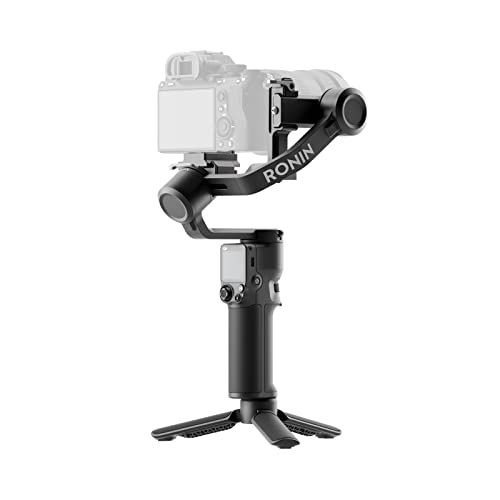
DJI RS 3 Mini, Camera Gimbal Stabilizer, Canon/Sony/Nikon/Fujifilm
- Lightweight and Portable: 795g for easy travel and extended use
- Wide Compatibility: Supports cameras up to 2kg (4.4 lbs) with various lenses
- Bluetooth Shutter Control: Remotely control camera shutter and recording
As an affiliate, we earn on qualifying purchases.
As an affiliate, we earn on qualifying purchases.
Conclusion
Now that you know how to craft immersive festival videos, remember that capturing both the chaos and serenity can transport viewers right into the heart of the event. Think of the loud, vibrant scenes as the fireworks illuminating the night, and the quiet moments as the gentle glow of lanterns floating upward. By blending these contrasts, your videos will not just show a festival — they’ll make viewers feel like they’re experiencing it firsthand, from the roar to the whisper.
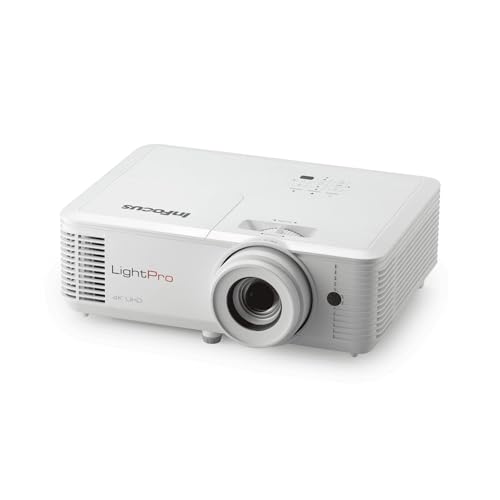
INFOCUS LIGHTPRO IN0061SL 3D Standard Throw DLP Projector – 169 – HIGH Dynamic Range HDR – 3840 X 2160 – Front – 2160P
- Model Name: InFocus LightPro IN0061SL
- Projection Type: Standard Throw DLP
- Screen Size: Up to 169 inches
As an affiliate, we earn on qualifying purchases.
As an affiliate, we earn on qualifying purchases.

Nero Video 2026 | Video Editing Software for Windows | Movie Maker with 1000+ Effects, Motion Tracking, Multi-Track Editing, 4K & 8K Support, DVD & Blu-ray Authoring | Lifetime License | Win 11/10/8/7
- User-Friendly Video Editing: Create professional videos easily with drag-and-drop
- Extensive Effects and Titles: Over 1000 effects, filters, and animated titles
- High-Resolution Support: Edit in 4K and 8K formats with multi-track timeline
As an affiliate, we earn on qualifying purchases.
As an affiliate, we earn on qualifying purchases.