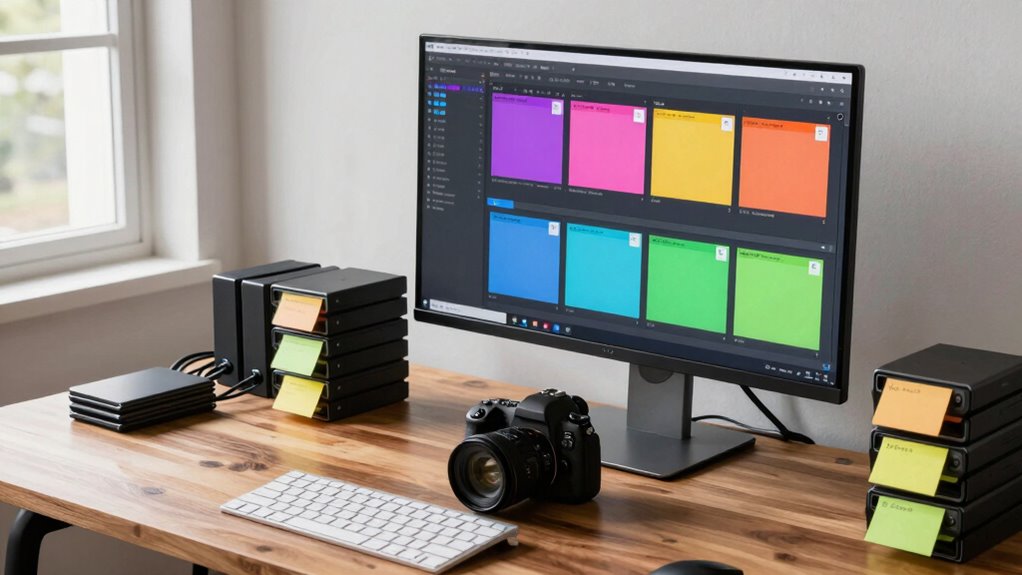

To organize festival video files efficiently, create consistent naming conventions that include dates and event details. Use folders to categorize footage by event or scene, and employ tags or color codes within editing software for quick sorting. back up files regularly following the 3-2-1 rule, and maintain a master spreadsheet to log file details. Keep your workspace tidy and archive older projects. Exploring these strategies further can help streamline your workflow and safeguard your footage.

Get movie nights delivered free — and shop member deals
- Fast, free delivery on millions of items
- Access to Prime Big Deal Days deals on October 6–7
- Prime Video, Amazon Music and more included
Key Takeaways
- Develop a consistent naming convention including date, location, and event details for easy identification.
- Categorize files into folders for raw footage, edits, and final versions to streamline workflow.
- Use tags or color codes within editing software to prioritize and categorize clips efficiently.
- Implement version control practices to track edits and prevent overwriting important files.
- Regularly back up files using the 3-2-1 rule to ensure data security and easy recovery.

Ever wondered how to keep your festival video files neat and easy to find amidst the chaos? The key lies in adopting effective organization strategies that simplify your workflow. One of the first steps is understanding the importance of good video editing techniques. When you record footage, avoid the temptation to dump all your files into a single folder. Instead, create a clear, consistent naming system for your clips—perhaps including the date, location, or event name. This way, you can quickly identify what’s what without sifting through dozens of unorganized files. Using tags or color coding within your editing software can further streamline your process, allowing you to prioritize or categorize clips based on their significance or content.
Next, consider your storage device options. External hard drives, SSDs, or cloud storage services each have pros and cons. External drives are affordable and portable, making them perfect for backing up large footage batches. SSDs offer faster transfer speeds, which is handy when working with high-definition files, reducing lag during editing. Cloud storage options, like Google Drive or Dropbox, enable easy access from different devices and facilitate sharing with collaborators, but they require a stable internet connection and might incur ongoing costs. Whichever device you choose, guarantee you organize files systematically within it. Create dedicated folders for raw footage, edited clips, and final versions, and stick to a naming convention that’s consistent across all storage locations. Additionally, understanding content management strategies can help you keep track of your files more effectively. Incorporating file versioning practices can also prevent accidental overwrites and ensure you always have access to previous edits if needed. Implementing a comprehensive file organization system saves time and reduces frustration during the editing process.
Choose storage options wisely: external drives, SSDs, or cloud services—organize files systematically across all platforms for efficiency.
To keep everything tidy, regularly archive older projects and delete duplicates or unusable clips. This prevents clutter and keeps your workspace focused on current tasks. Labeling files clearly and logically minimizes the time spent searching for specific footage later. Also, consider creating a master catalog or spreadsheet that logs details—such as file names, locations, and descriptions—so you can quickly locate what you need without opening each folder.
Lastly, develop a routine for backing up your files. Relying on just one storage device leaves you vulnerable to data loss. Implement a 3-2-1 backup rule: keep three copies of your files, on two different media types, with one stored off-site or in the cloud. This approach adds an extra layer of security and peace of mind. By combining smart video editing techniques with well-chosen storage device options, you’ll find managing festival video files becomes less overwhelming and more efficient, allowing you to focus on capturing and sharing those memorable moments.
external hard drive for video storage
As an affiliate, we earn on qualifying purchases.
As an affiliate, we earn on qualifying purchases.
Frequently Asked Questions
What Software Is Best for Organizing Festival Videos?
For organizing festival videos, consider software like Adobe Premiere Pro or DaVinci Resolve, which offer robust metadata management tools to keep your files well-organized. They also integrate smoothly with cloud storage options, ensuring your footage is safe and accessible from anywhere. These programs help you categorize, search, and manage large video libraries efficiently, saving you time and effort when handling festival footage.
How Do I Back up Large Video Collections Securely?
Did you know that over 60% of data loss cases involve inadequate backups? To back up your large video collections securely, use a combination of cloud storage and external drives. Cloud storage offers easy access and automatic updates, while external drives provide offline security. Regularly update both to guarantee your festival videos stay safe from hardware failures, theft, or accidental deletion, giving you peace of mind.
Can I Automate the Organization Process?
Yes, you can automate the organization process by using software that supports metadata tagging and folder hierarchy. You set rules for how files are sorted based on metadata like date, event, or location. The program then automatically moves videos into the correct folders, saving you time. Keep your metadata accurate and consistent, and your automation will work smoothly, making your festival footage much easier to manage.
How to Tag and Categorize Videos Effectively?
You might think tagging and categorizing videos is simple, but it’s really about mastering metadata tagging and folder hierarchy. Ironically, the more detailed your metadata, the easier it becomes to find that elusive clip later. Use consistent keywords, create a clear folder hierarchy, and apply tags thoughtfully—this transforms chaos into order. Your future self will thank you for the precise organization, making retrieval effortless rather than a treasure hunt.
What File Formats Should I Use for Archive Quality?
For archive quality, you should use high-quality, lossless file formats like MOV or AVI, which preserve detail and support metadata management. These formats optimize storage by avoiding compression artifacts, ensuring longevity. To streamline your archive, combine these formats with effective metadata tagging, making it easier to locate files later. Prioritize storage solutions that support large files and maintain data integrity, ensuring your festival videos stay safe and accessible over time.
As an affiliate, we earn on qualifying purchases.
Conclusion
By implementing these simple tips, you’ll turn chaos into clarity, transforming your festival footage into a well-organized treasure trove. Think of your files as a story waiting to be told; with the right system, you become the skilled narrator guiding each clip to its rightful place. Don’t let disorganization steal your creative spark—embrace these strategies and watch your festival memories shine brighter than ever, ready to inspire and amaze whenever you revisit them.
cloud storage service for video files
As an affiliate, we earn on qualifying purchases.
As an affiliate, we earn on qualifying purchases.
video editing file organization software
As an affiliate, we earn on qualifying purchases.
As an affiliate, we earn on qualifying purchases.
Fall Picks
fall essentials
As an affiliate, we earn on qualifying purchases.