To capture clean audio in a crowd, focus on using wireless microphones close to your sound source, which helps reduce background noise and allows freedom of movement. Combine this with soundproofing techniques like sealing gaps, adding acoustic materials, and choosing quieter times for recording. Position your mic carefully, use windscreens, and monitor your audio instantly with headphones. Mastering these practical steps can markedly improve your sound quality—keep going to uncover more effective strategies.
Key Takeaways
- Use wireless microphones with directional (cardioid) capsules to focus on the speaker and minimize crowd noise.
- Position microphones close to the sound source and avoid areas with heavy ambient chatter or movement.
- Apply soundproofing techniques like sealing gaps and using acoustic panels to reduce external noise infiltration.
- Record during quieter moments or breaks, choosing times when crowd noise is at its lowest.
- Monitor audio in real-time with headphones and adjust microphone placement or environment as needed.
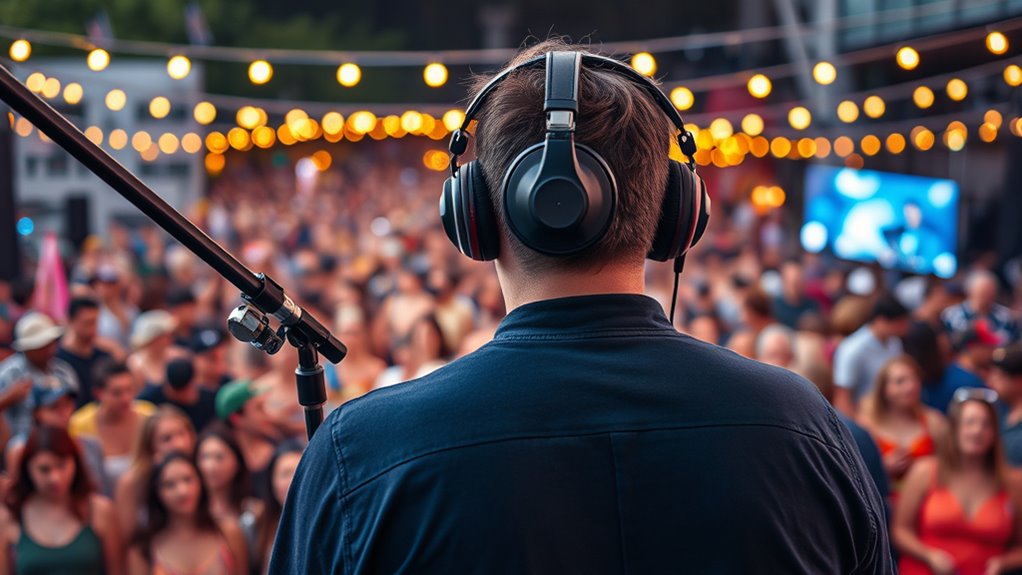
Ever wondered how to get crystal-clear sound in your recordings? When you’re capturing audio in a crowded environment, it’s easy for background noise and chatter to drown out your intended sound. That’s where wireless microphones come into play. They offer the flexibility to move freely without worrying about tangled cables, helping you position your microphone closer to the source. This proximity reduces the pickup of unwanted ambient noise and guarantees your voice or main sound is captured clearly. Opting for high-quality wireless microphones with directional or cardioid capsules further isolates your audio, cutting down on background interference. Pairing these with soundproofing techniques makes a notable difference, especially if you’re recording indoors.
Wireless microphones improve audio clarity in noisy environments by allowing closer placement and reducing background noise.
Soundproofing techniques involve creating a controlled environment that minimizes external noise. You can start by sealing gaps around doors and windows with weatherstripping or draft stoppers, preventing outside noise from seeping in. Using thick curtains or blankets on windows can also dampen sound reflections and reduce echo, making your recordings cleaner. If your space allows, adding foam panels or acoustic diffusers to walls absorbs sound waves and prevents them from bouncing around, which can muddy your audio. These measures don’t have to be expensive or complicated; even simple adjustments can dramatically improve your audio quality.
When working in a crowd, positioning your wireless microphone correctly is essential. Keep it close to the source—ideally within a few inches—while avoiding positioning it directly in front of noisy backgrounds. Use a windscreen or foam cover on your mic to filter out plosive sounds and reduce wind noise, especially if you’re outdoors. If possible, choose quieter spots or angles that naturally block out some of the surrounding noise.
Also, consider timing your recordings when ambient noise levels are lower—like during breaks or quieter moments—and be mindful of background chatter. Monitoring your audio with headphones during recording helps you catch issues immediately, so you can adjust your position or settings on the spot. Remember, combining wireless microphone technology with effective soundproofing techniques creates a synergy that greatly boosts your chances of capturing clean, professional-quality audio, even in challenging environments. With the right setup, you’ll be amazed at how much clearer and more focused your recordings can be, no matter how noisy the surroundings.
Frequently Asked Questions
How Do I Choose the Best Microphone for Crowded Environments?
To choose the best microphone for crowded environments, consider microphone types like shotgun or hypercardioid mics, which focus on sound sources and reject background noise. Pickup patterns are essential—look for highly directional patterns that minimize unwanted noise from the sides and rear. Test different options to see which mic captures clear audio without picking up too much ambient noise, ensuring your recordings stay clean even in noisy settings.
What Are the Common Mistakes to Avoid When Recording in Crowds?
You might think louder is better, but don’t overload your equipment or neglect wind protection—those are classic mistakes. Overloading causes distortion, ruining your audio, while neglecting wind protection invites unwanted noise. Keep your levels balanced and always use windshields or dead cats. Remember, less is more; focus on capturing clarity rather than volume, or you’ll end up with a muddy mess instead of crisp, clean sound.
How Can I Minimize Background Noise During Live Recordings?
To minimize background noise during live recordings, use soundproofing techniques like placing barriers or acoustic panels around your setup. Always opt for directional microphones, such as shotgun mics, which focus on your source and reject side noise. Position the microphone close to the sound source, and avoid capturing ambient sounds. Combining these methods helps you achieve clearer, more professional audio even in noisy environments.
What Equipment Is Essential for Capturing Clear Audio in Noisy Settings?
You need essential equipment like wireless transmitters and pop filters to capture clear audio in noisy settings. Wireless transmitters help you move freely without cables, reducing handling noise, while pop filters minimize plosive sounds that can muddy recordings. Trust that investing in quality gear makes a real difference—your audience will notice the crisp, professional sound, even amidst chaos. Don’t overlook these tools; they’re your best defense against uncontrollable background noise.
How Do I Edit Crowded Audio Recordings for Clarity?
To improve crowded audio recordings, start with audio editing techniques like equalization and compression to enhance clarity. Use noise reduction methods such as spectral subtraction or dedicated plugins to minimize background noise. Carefully apply these tools, listening closely to avoid losing important details. Additionally, consider manual editing to cut out unwanted sounds. Combining these techniques helps you achieve a cleaner, more intelligible audio track from noisy recordings.
Conclusion
Remember, where there’s a will, there’s a way. By using directional microphones, positioning yourself wisely, and employing noise reduction techniques, you can capture clear audio even in crowded environments. Stay patient and adaptable, and don’t be afraid to experiment with settings. With these practical tips, you’ll turn chaotic noise into crisp, professional sound. Keep practicing, and soon you’ll find that even in a crowd, your audio remains clear and compelling.